Challenge
The rapid growth of technology has made the world even more digitized and connected. In this new era, business collaboration thrives on online communication. Many exhibitors come to cyber fairs or conferences, advertising their business in virtual booths.
Previously, TCC adopted a hybrid service flow. However, as the number of conferences and exhibitors increased, this process required a huge investment of labor and time. Moreover, when needs for modification emerged, it failed to provide flexibility or respond immediately to users.
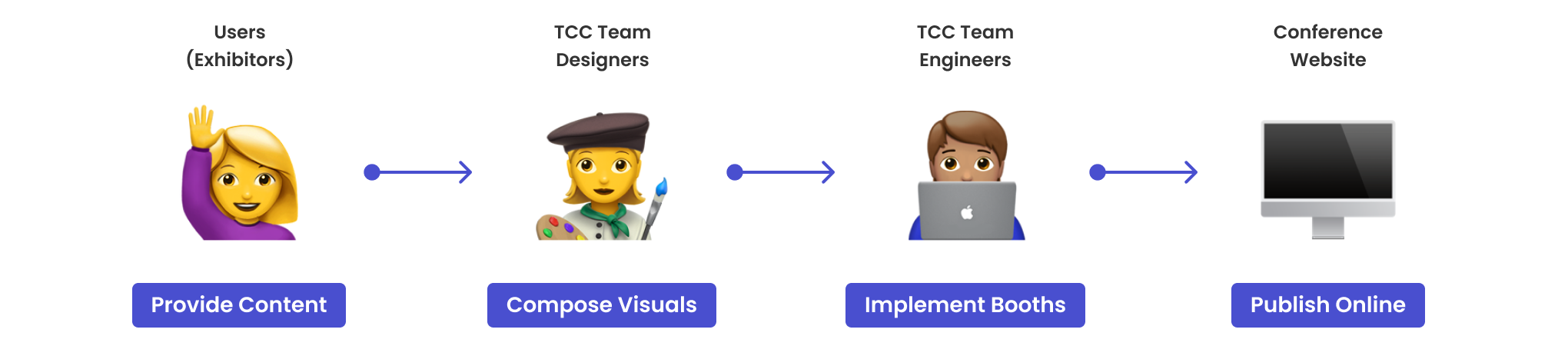
Previous Hybrid Flow
How might we streamline the online exhibition service, bringing exhibitors the flexibility, usability, and joy of customizing virtual booths?
Final Solution
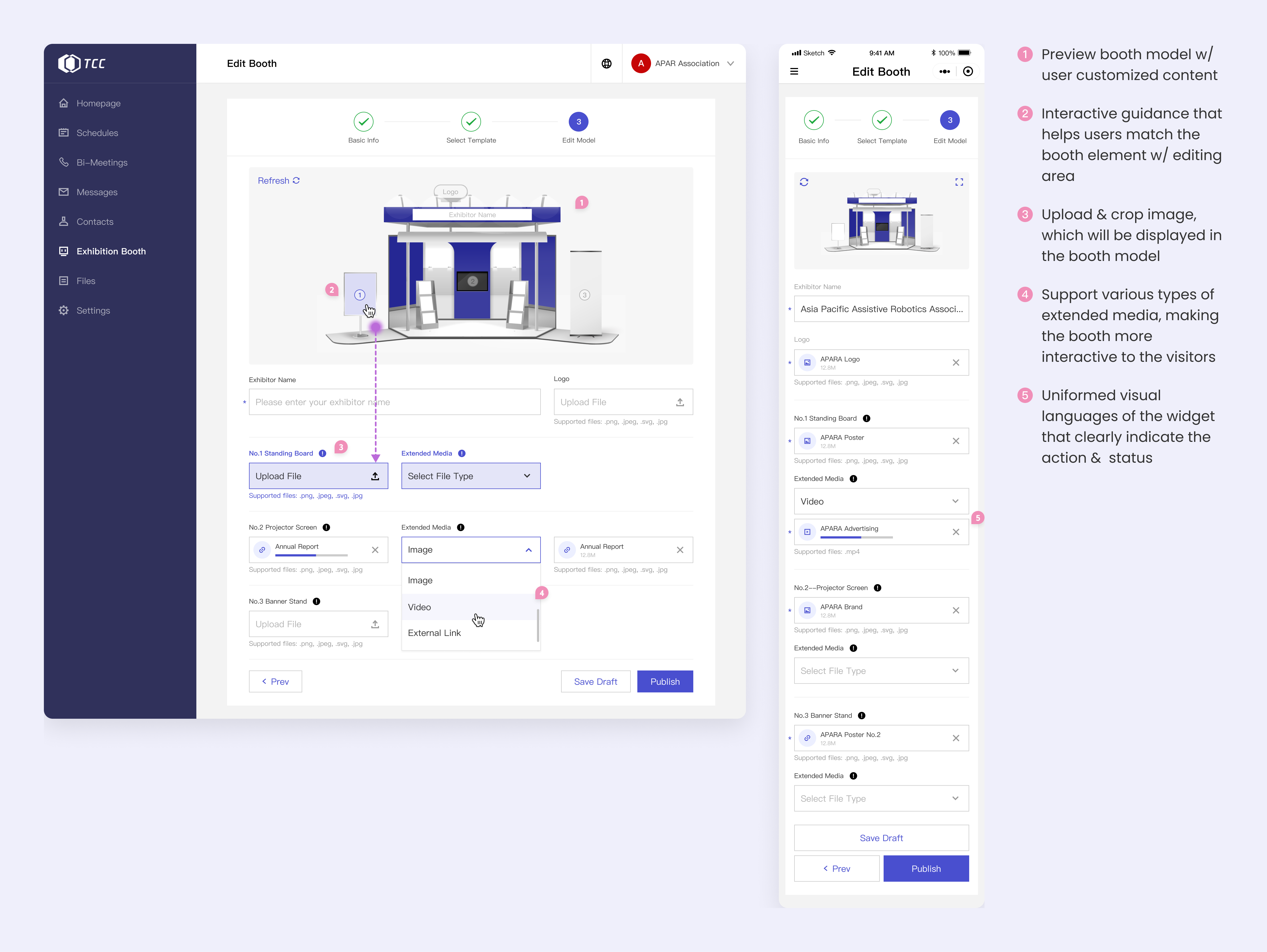
To address the inefficiency and exhaustion of both the users and the TCC team during the virtual booth service, we developed an easy-to-use tool for users to customize the fair booth on their own.
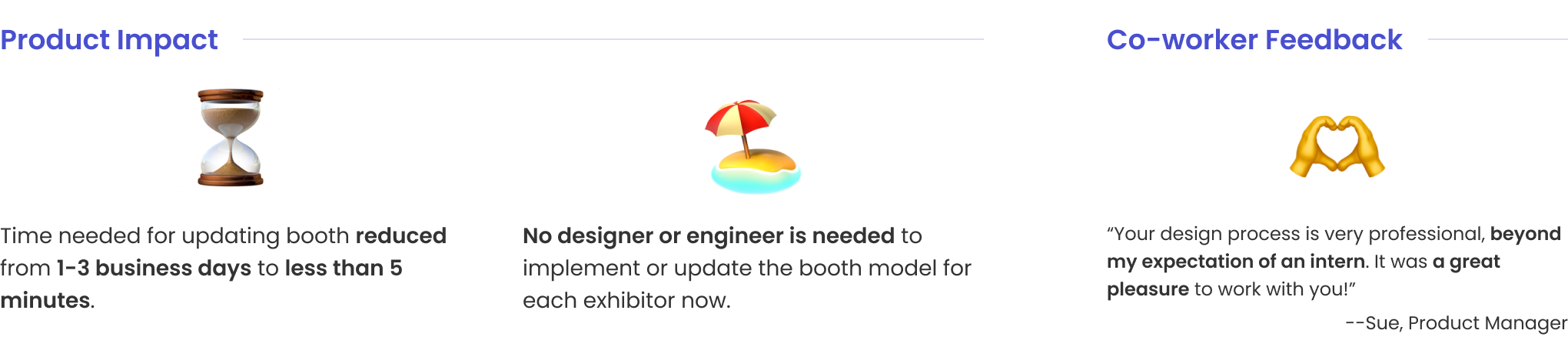
Users can select from different booth templates and modify the booth anytime based on their needs, with it updated to the online fair instantly. Neither do users have to wait for the TCC team’s response nor do the team need to put repetitive effort or extra time.
The customization process is divided into 3 steps:
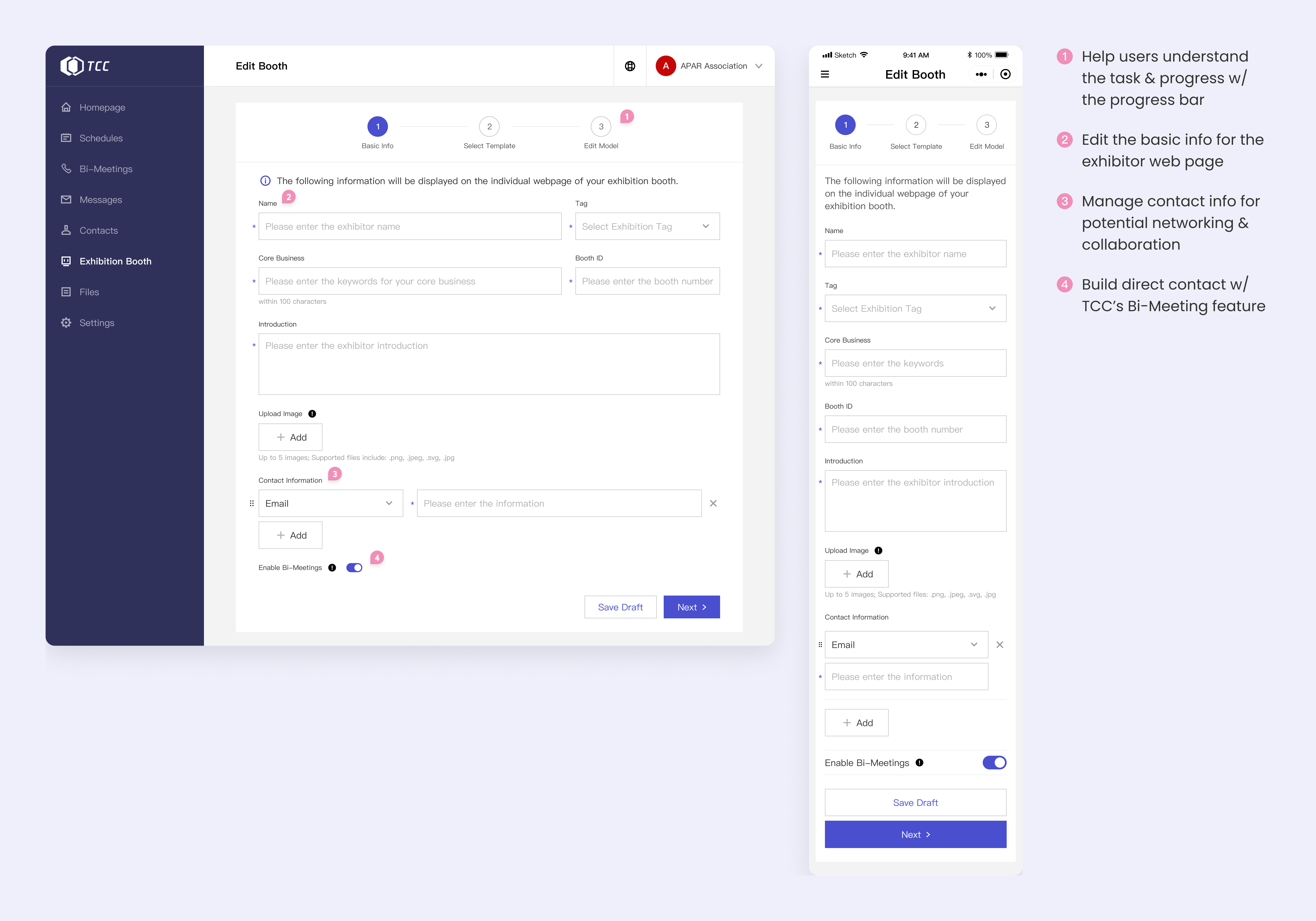
Step 1
Edit Basic Info
User Scenario: Exhibitors (users) want to utilize the virtual fair to build business networks with other attendees. In addition to the booth model, they also want an individual web page to showcase more information.
Solution: Enable users to link the booth model to TCC’s Bi-Meeting system and manage several types of contact info. Use a form-based process for users to edit information.
Painpoints Solved: Opportunity for connections and online communication 🤝
Step 2
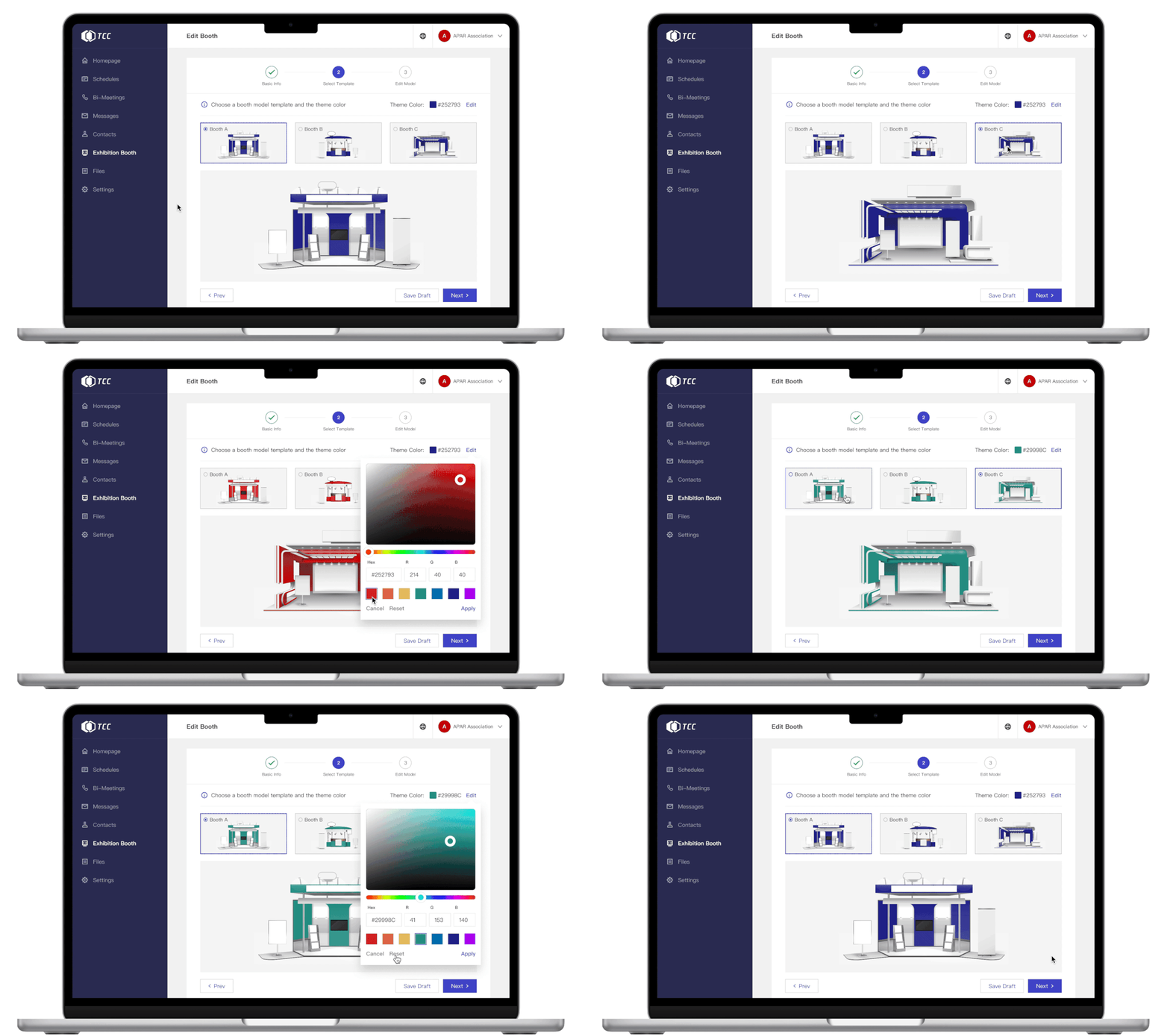
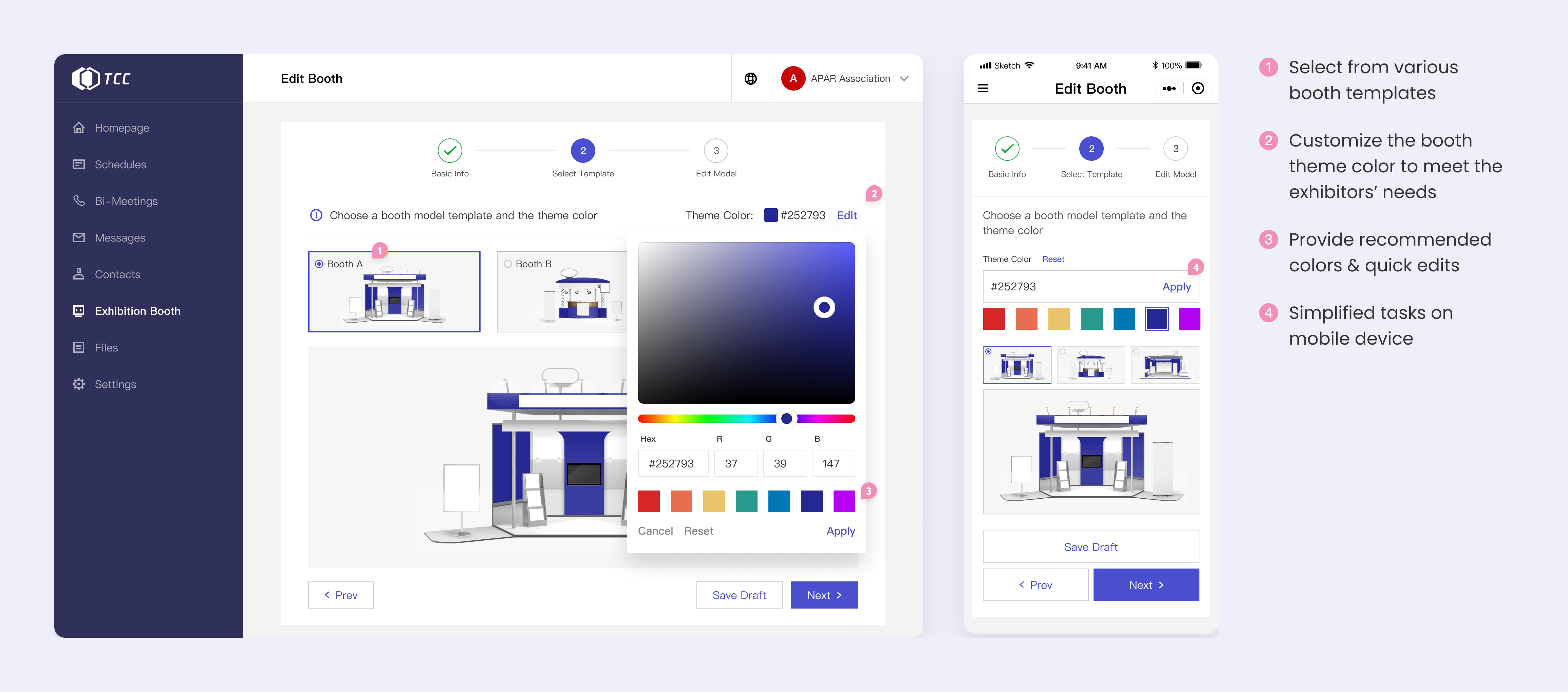
Select Booth Template
User Scenario: Exhibitors have different needs for a booth and want to have more options to choose from. They also hope that the booth model is unique and can represent their identity.
Solution: Provide several booth models with different features and customizable theme color to fit with the exhibitor’s brand.
Painpoints Solved: Flexibility of choice and unique identity 🚩
Step 3
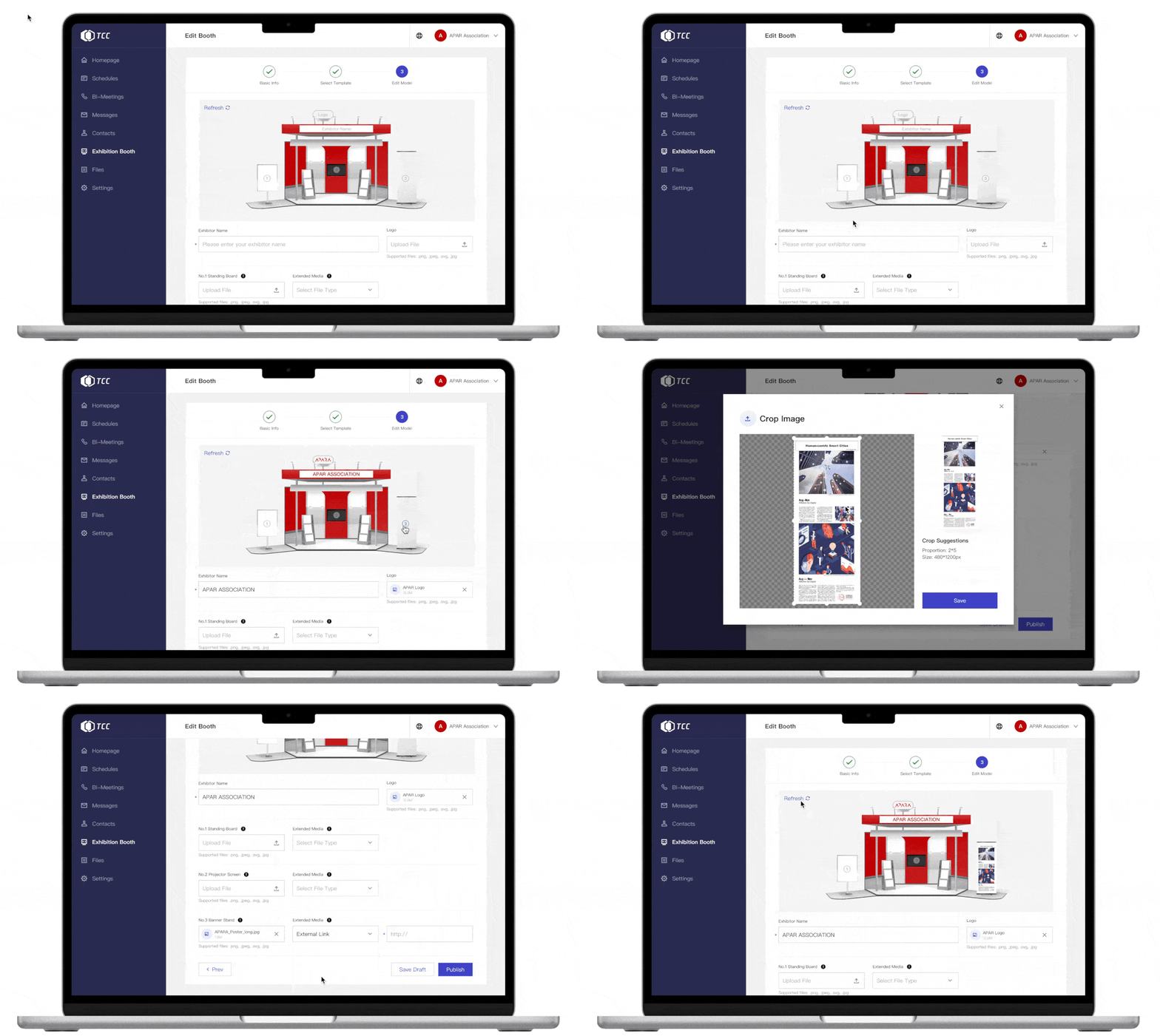
Edit Booth Model
User Scenario: With a lot to present, exhibitors want the editing process to be easy and intuitive. They also want to display several types of content.
Solution: Provide a clear edit panel that is interactively connected to the target element in the booth model. Enable users to upload multimedia content as extended files for the booth.
Painpoints Solved: Easy-to-use panel, instant preview, and interactive guidance 🧭
Discover
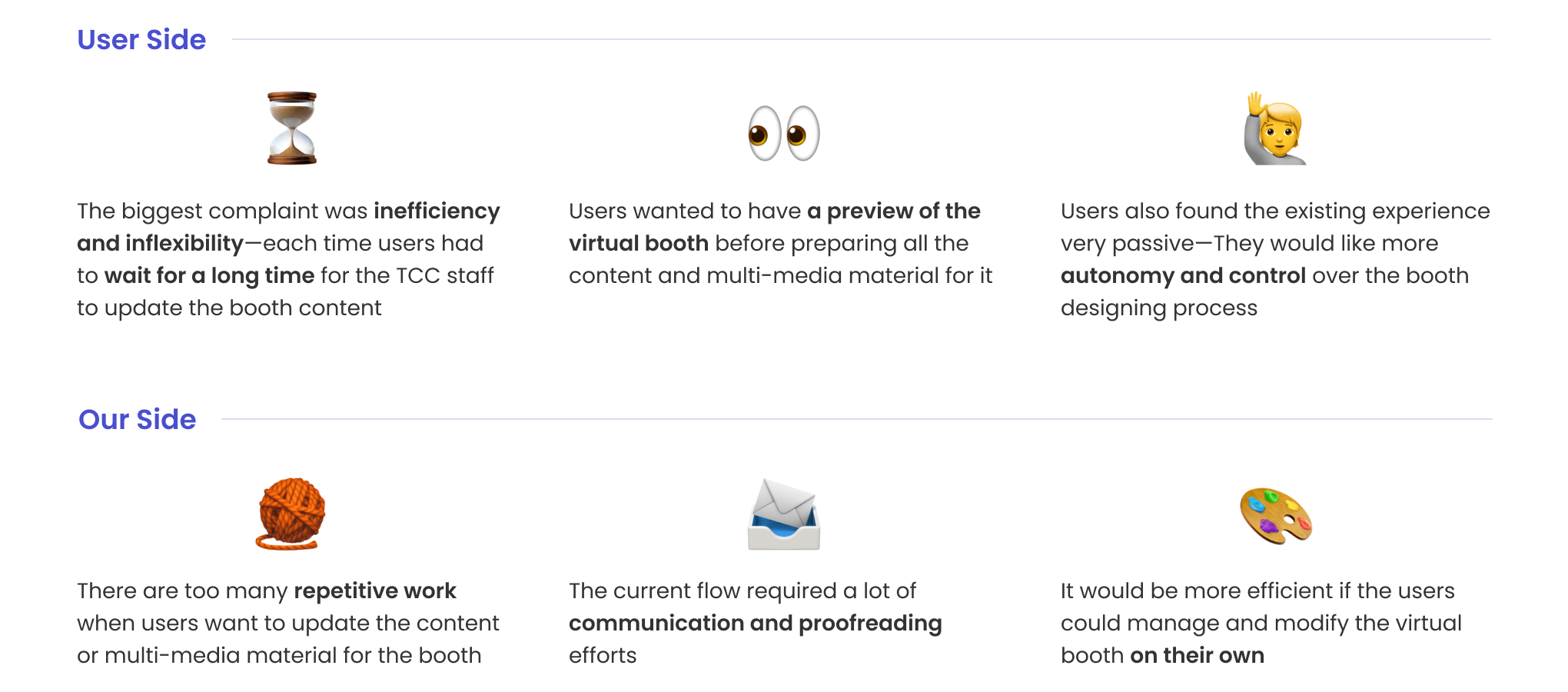
I collaborated with the researchers to understand the needs and experience from the user side (what they need for a virtual booth and expect of the tool). To learn better about the system from our technical and business side, I also talked with the internal TCC team owning the backstage service. Here were highlights of the findings:
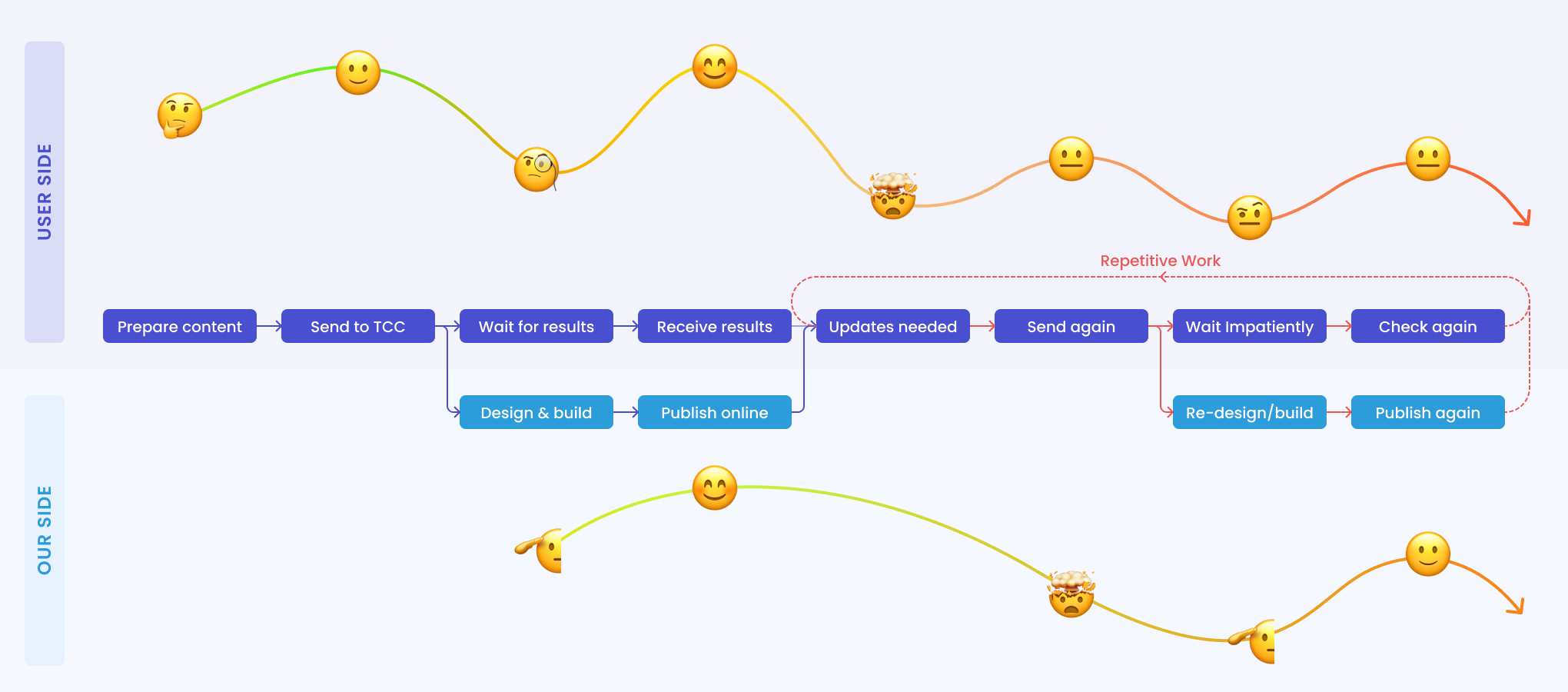
Existing Journey Map
To provide a smoother and more flexible exhibition customization experience for the users, as well as elevate the efficiency and reduce the repetitive work of our TCC team, we decided to build a tool that enables users to customize and update the virtual fair booths on their own.
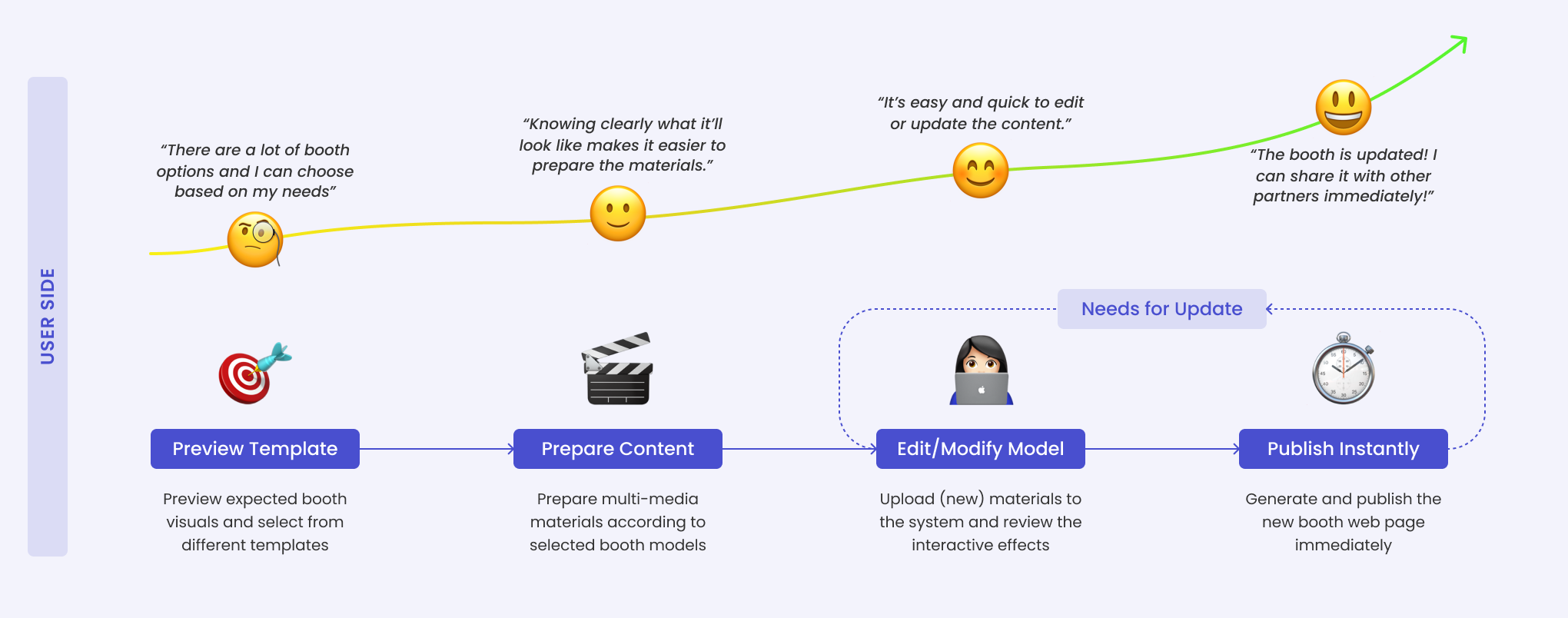
Streamlining the User Experience and Service Flow
Ideate
To develop such a tool for users to compose a virtual booth, I first identified what the booth should look like in the end and then designed the user flows of editing the virtual model to reach such a result.
#1 Defining a Virtual Fair Booth
For a cyber fair, the exhibition booth for each exhibitor consisted of two major components:
1) a virtual booth that provides an immersive experience
2) an individual webpage that contains other information and enables people to network
Based on previous user research, I synthesized key features from the exhibitors’ perspectives to develop the information architecture:
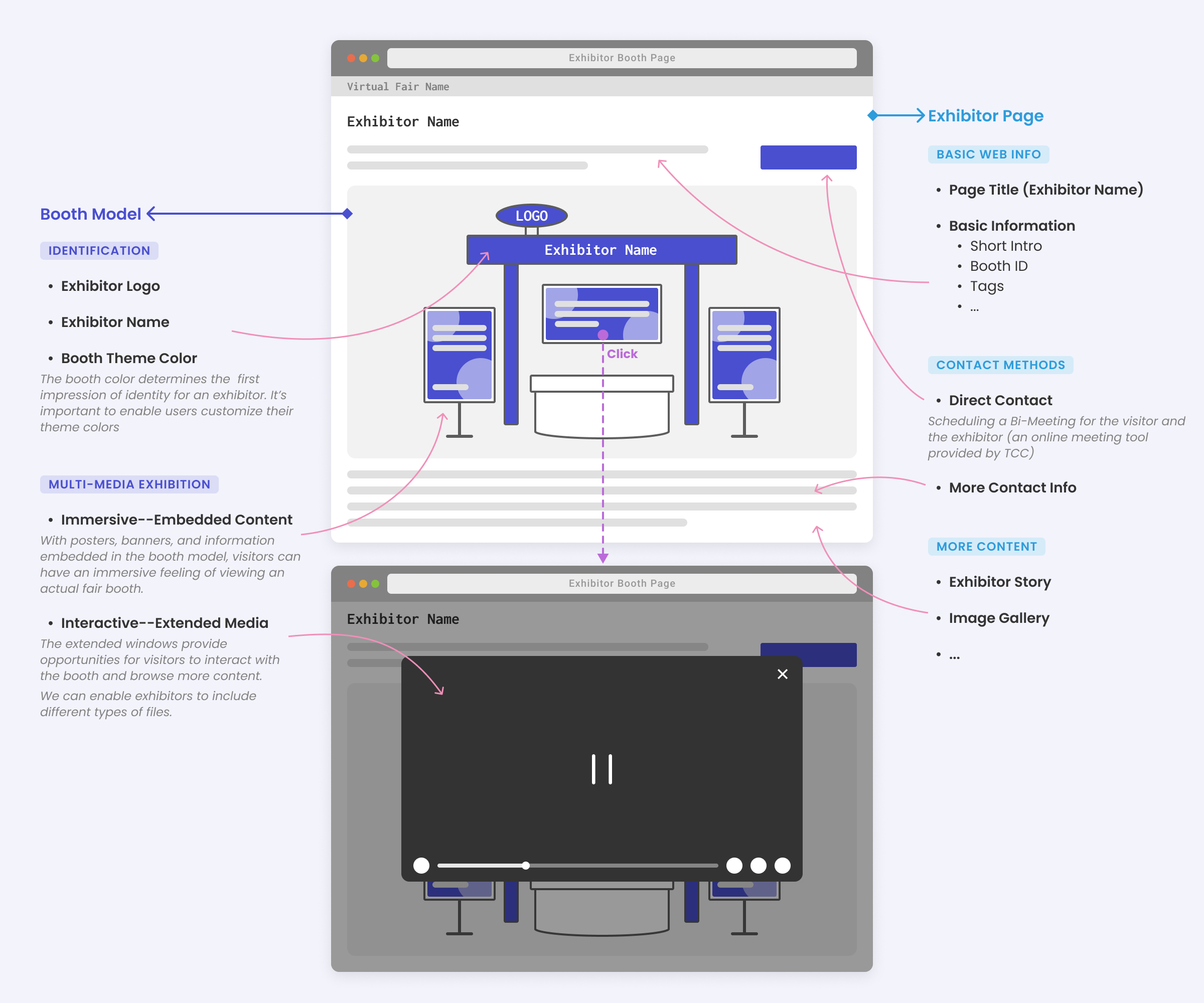
#2 Building the Blocks of a Booth Model
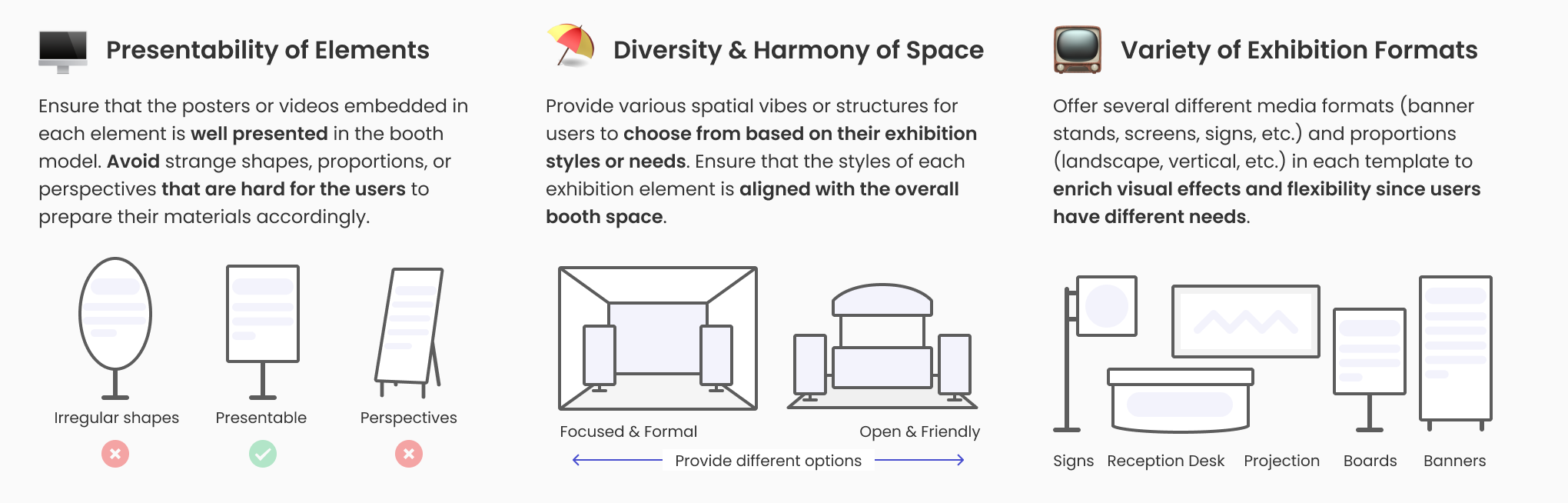
Given our technical and time capacity, the goal was to first provide 3 booth templates for the MVP version of this tool. I collected several booth visual elements, including installations, banner stands, projector screens, and signs. When composing these template models, I considered the following principles to build the blocks:
#3 Finding Feasible Technical Solutions with the Engineers
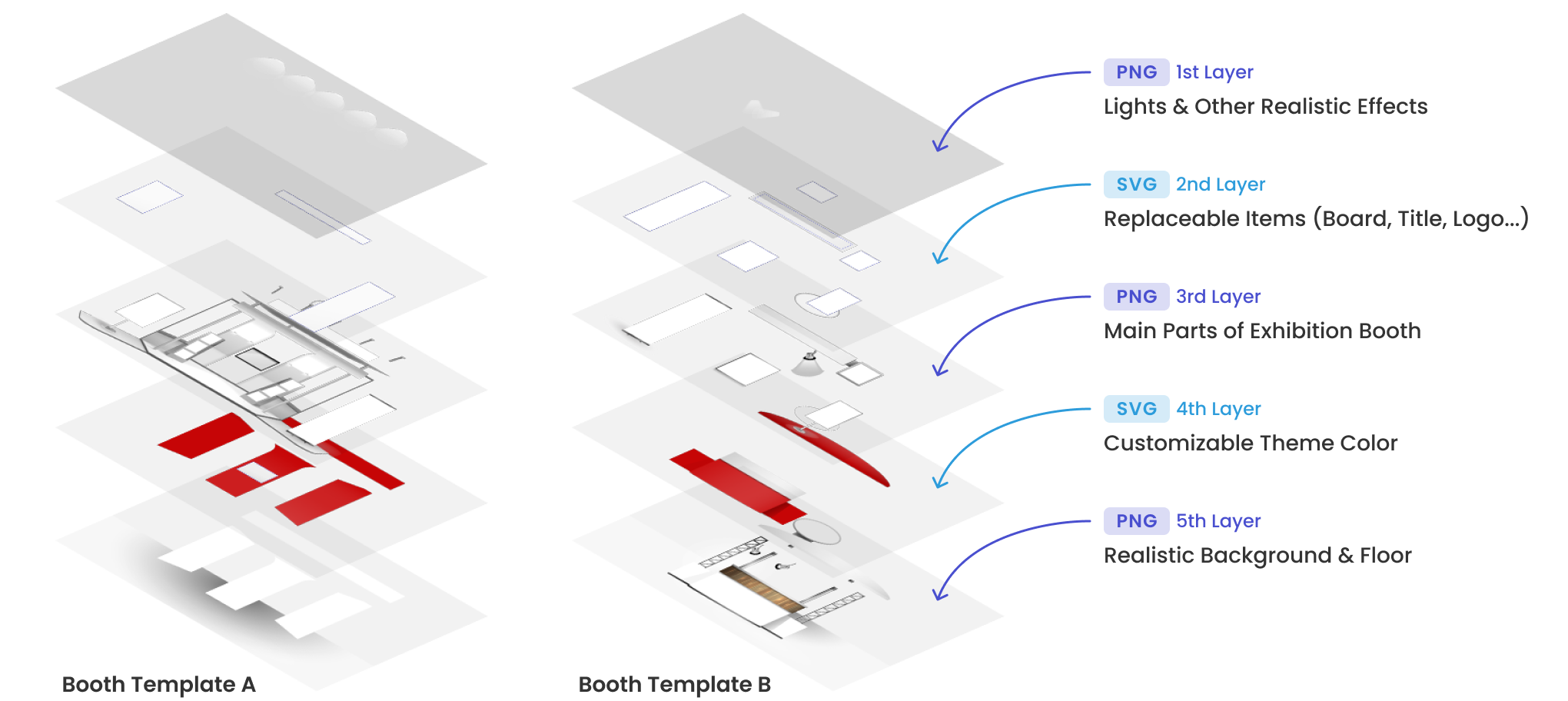
To enable users to replace the exhibition content of each element in the virtual booth, I collaborated with the front-end developers to build the visual materials that they could replace target areas and change the theme color based on user input. Another challenge was to maximize the vivid and realistic image while ensuring an easy-to-modify and technically low-cost render model.
Through close communication, I was able to discover the solution with the generous help from the engineers. I grouped the replaceable items and colored parts of the booth in SVG format, customizable for front-end rendering. The lights, gradient effect, and other realistic parts were in PNG format to ensure the visual outcome.
#4 Generating the User Flow
As mentioned above, the virtual fair not only presents a 2.5D view of each booth, but also provides an individual webpage with more information and other extensible windows to showcase multi-media content.
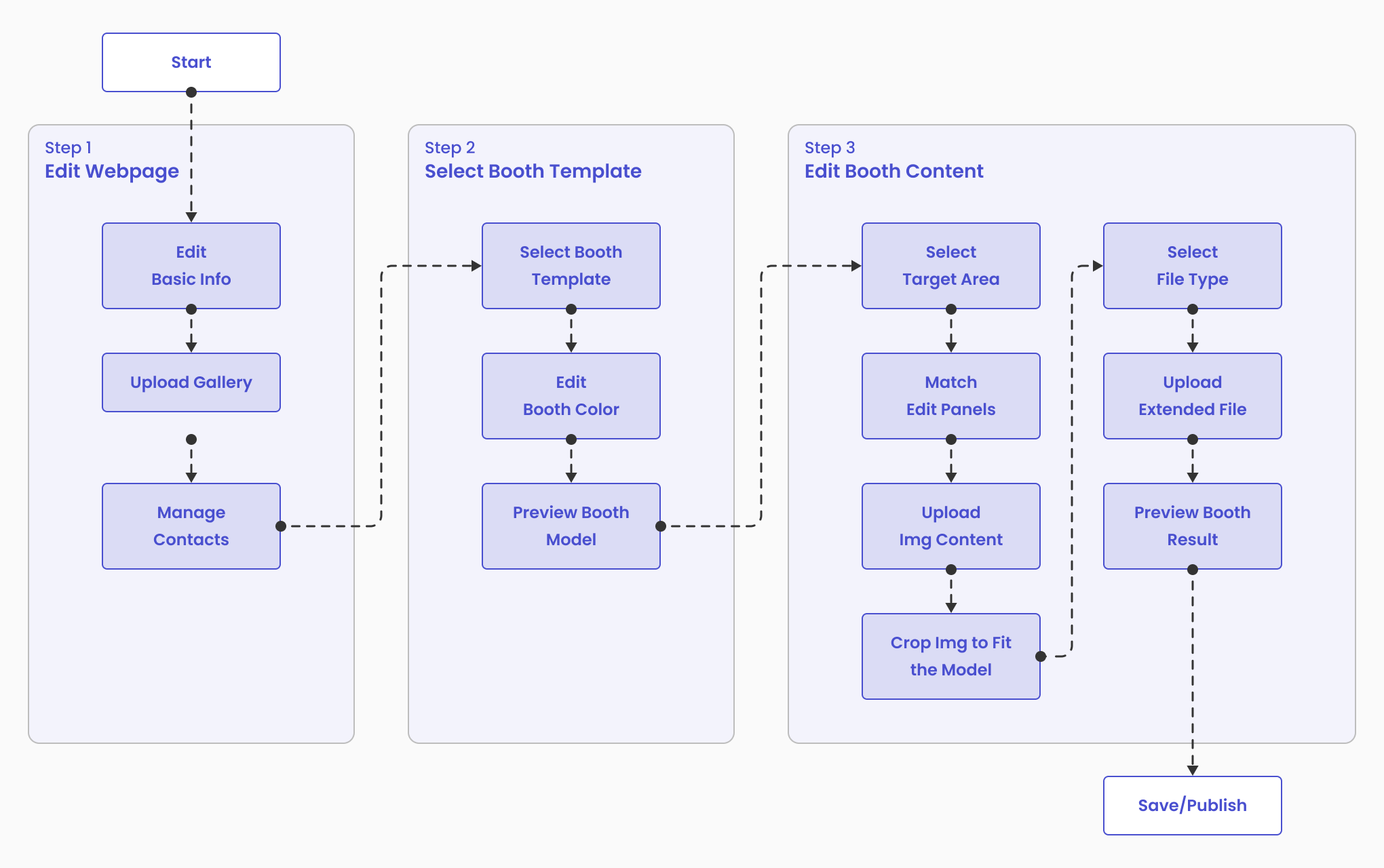
With the model templates ready, I move forward to structuring a detailed user flow of how exhibitors can manage various types of information and edit, preview, and publish the virtual booths.
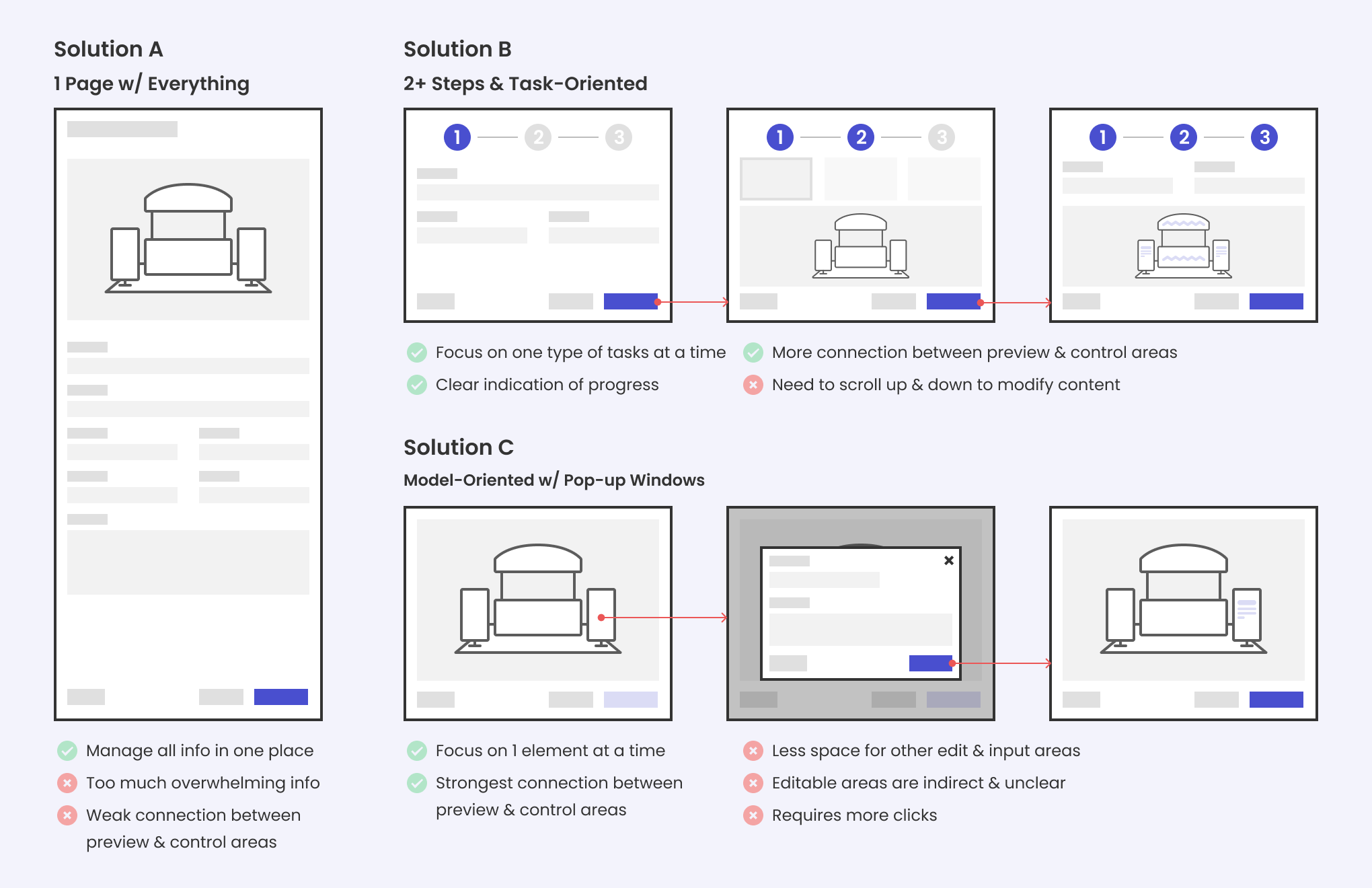
After initial brainstorming and sketching, I analyzed various directions on how to organize several steps and every element on each page:
Considering each proposal’s pros and cons from several aspects, I focused on Solution B while combining some model-oriented interactions in Solution C. Then I moved forward to refining the interactive details.
Refine
Though some of the editing components were quite standard and common in web form design, I sorted out important needs & interactions that are unique to the booth customization process.
To reach a satisfactory user experience, I tested different explorations through rounds of testing and design critique. Here are some of my explorations and reflections:
📚 Reducing users' cognitive & operational effort
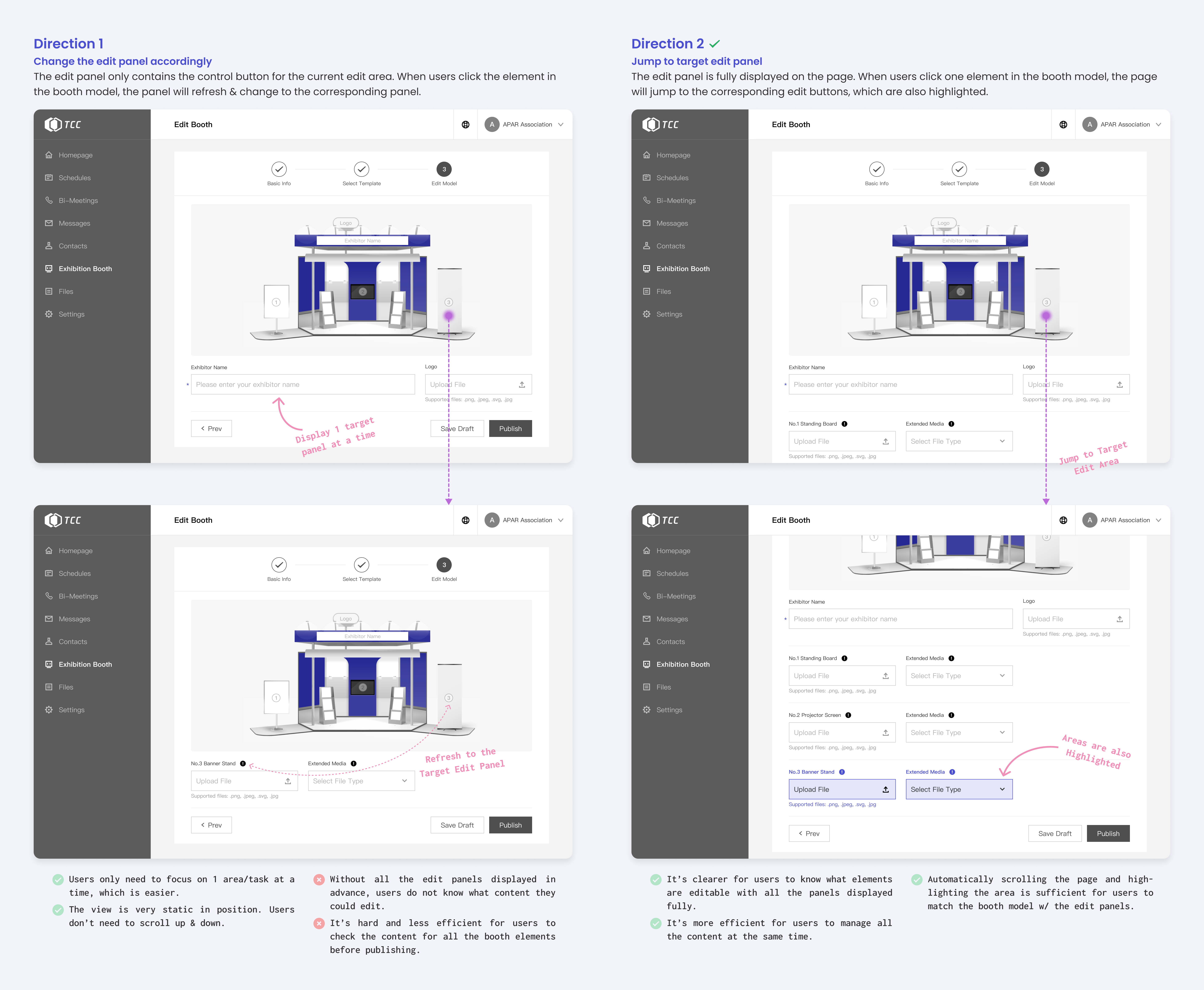
With several editable elements in the booth model, it’s important to help users understand how to match the edit panels with each element.
I explored different interactive modes and conducted usability testing to decide on the solution:
🚀 Deliver the information properly to the users
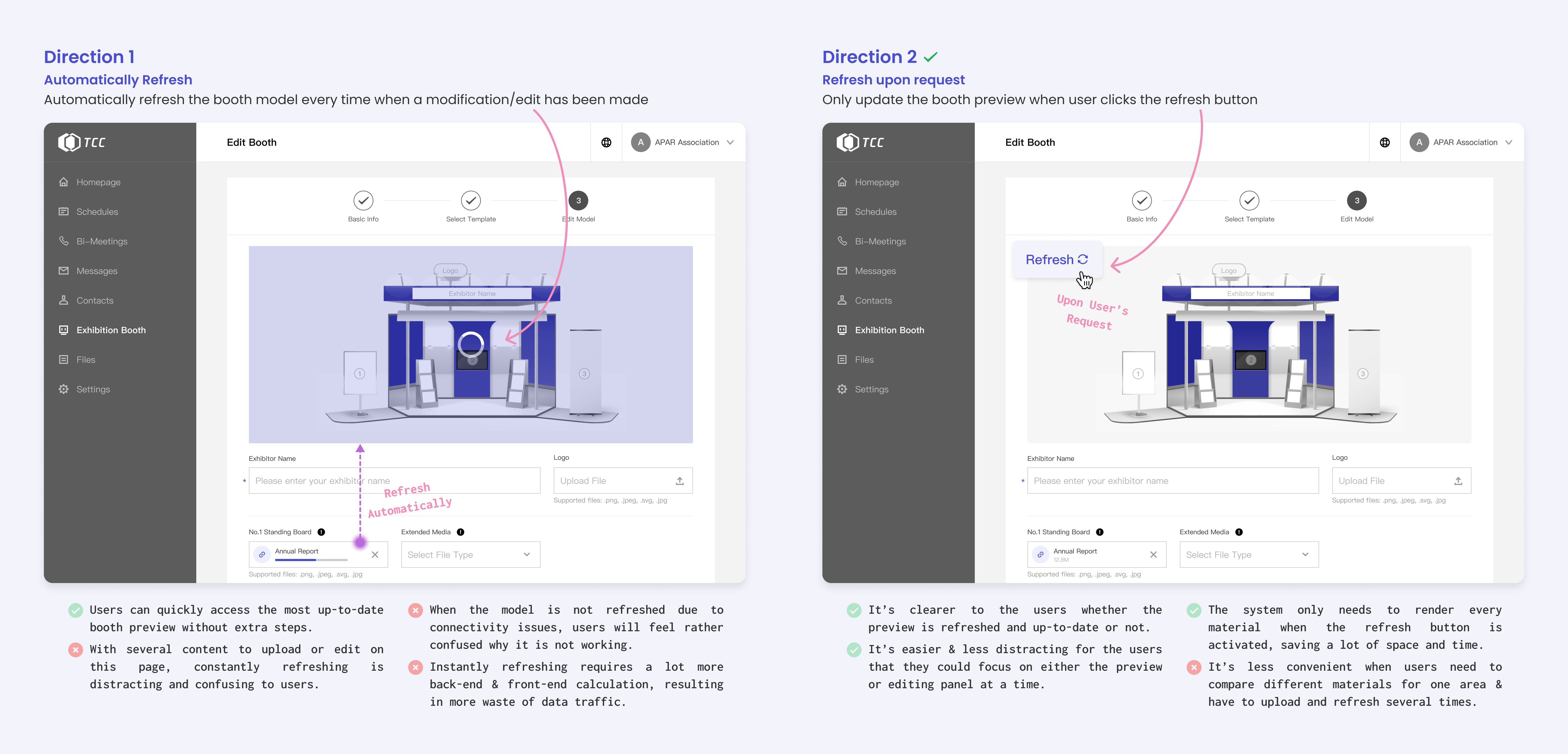
A preview of the booth is important for users to manage their content. Given several editable elements, how to refresh the preview is also worth careful considerations.
I analyzed the pros and cons of different directions to reach a better interactive experience:
👣 Helping users avoid accidental mistakes & frustration
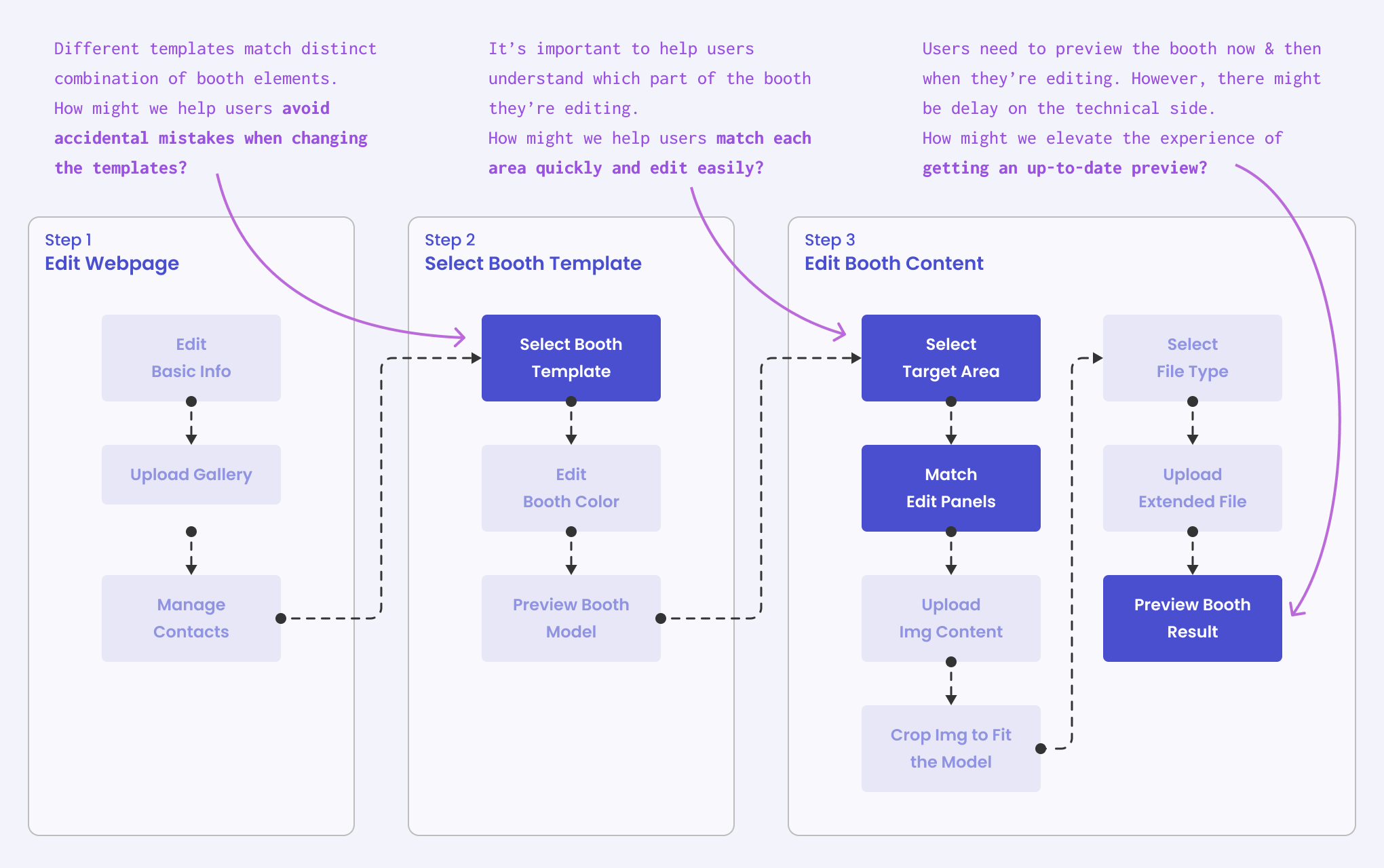
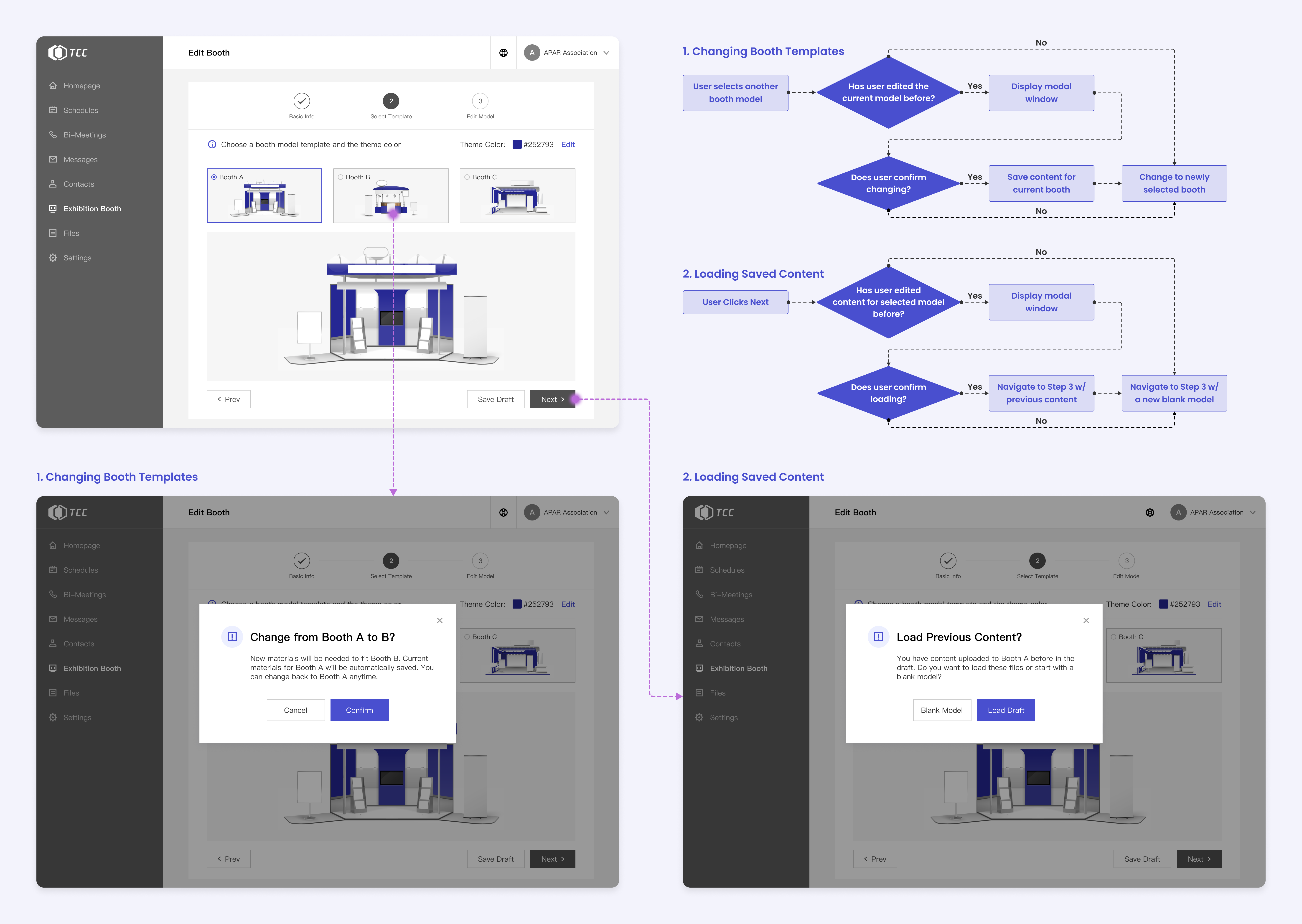
It’s common for users to switch between booth models. However, different booth templates require distinct content, making it complicated to change models both to the users and on the technical side.
To help users avoid accidental mistakes and to help the engineers to implement the system, I designed the pop-up windows and a more detailed flow chart to address this issue:
For more details of the design and prototype, check the
Final Solution above!
Takeaways
Diversity brings a deeper understanding 💐
It was fun to work on the editable booth models and learn from the engineers! Collaborating with different teams and listening to their perspectives gave me a deeper understanding of the project, users, and design process.
Adding my unique values to the team 🙌
This virtual fair project is a magic combination of spatial and digital design, where I found myself passionately transferring the skills and design thinking acquired in my past education in Architecture. More than refining the virtual “space,” I also found similarity of both fields in handling complex systems and reasoning from a holistic perspective.
To know more about my internship experience at Tencent,
click here! 😃
Campus...only for students?
How might we create a center at the gate that can help different people find the space and atmosphere comfortable to them?
This is some text inside of a div block. And inside of a div block. This is some text inside of a div block. This is some text inside of a div block.
Image Title
Image Title
This is some text inside of a div block.
Lorem ipsum dolor sit amet, consectetur adipiscing elit. Suspendisse varius enim in eros elementum tristique. Duis cursus, mi quis viverra ornare, eros dolor interdum nulla, ut commodo diam libero vitae erat. Aenean faucibus nibh et justo cursus id rutrum lorem imperdiet. Nunc ut sem vitae risus tristique posuere.
Lorem ipsum dolor sit amet, consectetur adipiscing elit. Suspendisse varius enim in eros elementum tristique. Duis cursus, mi quis viverra ornare, eros dolor interdum nulla, ut commodo diam libero vitae erat. Aenean faucibus nibh et justo cursus id rutrum lorem imperdiet. Nunc ut sem vitae risus tristique posuere.
Lorem ipsum dolor sit amet, consectetur adipiscing elit. Suspendisse varius enim in eros elementum tristique. Duis cursus, mi quis viverra ornare, eros dolor interdum nulla, ut commodo diam libero vitae erat. Aenean faucibus nibh et justo cursus id rutrum lorem imperdiet. Nunc ut sem vitae risus tristique posuere.
Lorem ipsum dolor sit amet, consectetur adipiscing elit. Suspendisse varius enim in eros elementum tristique. Duis cursus, mi quis viverra ornare, eros dolor interdum nulla, ut commodo diam libero vitae erat. Aenean faucibus nibh et justo cursus id rutrum lorem imperdiet. Nunc ut sem vitae risus tristique posuere.
Lorem ipsum dolor sit amet, consectetur adipiscing elit. Suspendisse varius enim in eros elementum tristique. Duis cursus, mi quis viverra ornare, eros dolor interdum nulla, ut commodo diam libero vitae erat. Aenean faucibus nibh et justo cursus id rutrum lorem imperdiet. Nunc ut sem vitae risus tristique posuere.
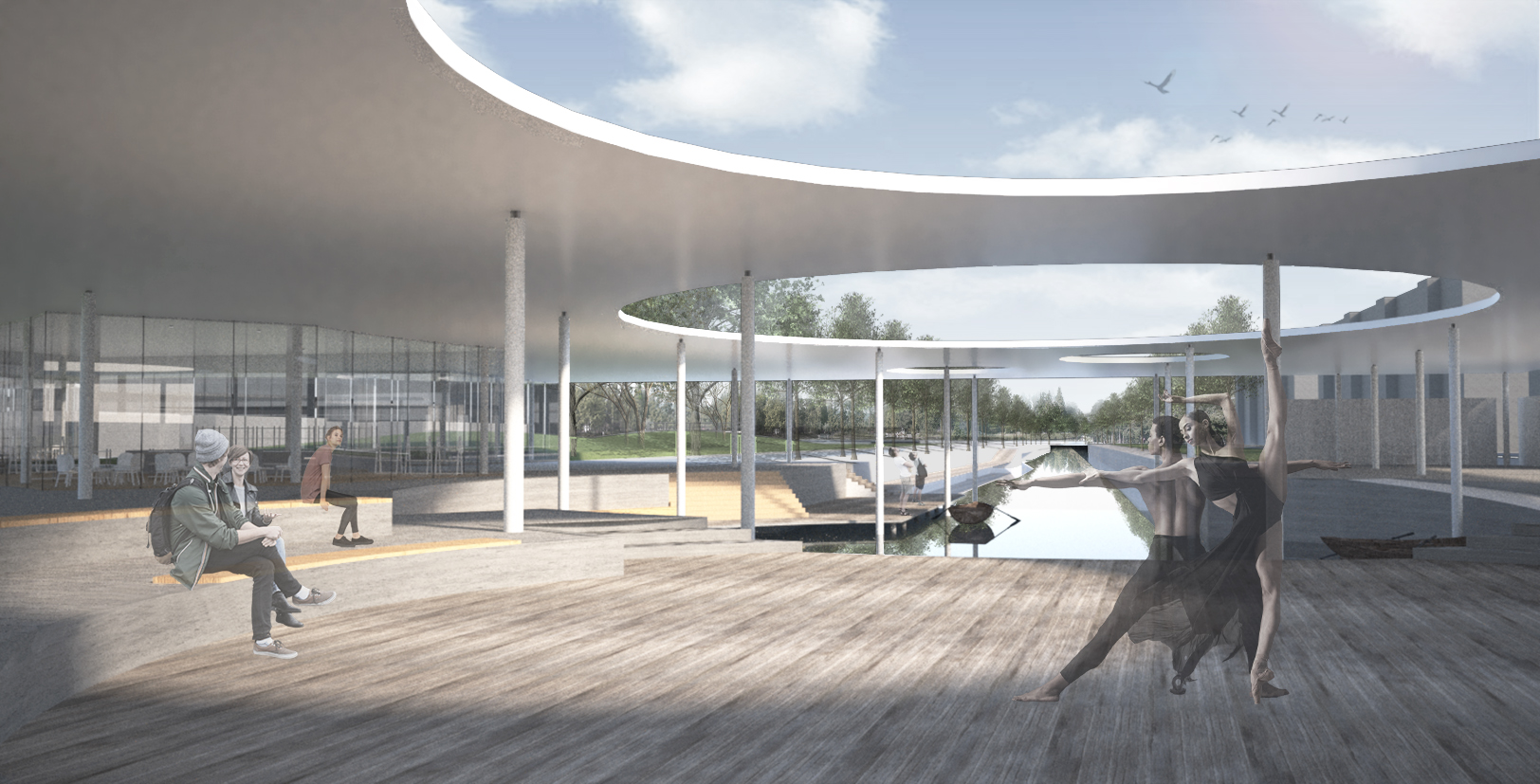
Image Title